If you want to use a personal card, like an OV chip card, to log into the printers, you need to connect your personal card to your HANaccount.
For this, you need a pin code. You can easily request a pin code via the HANCard portal.
ATTENTION: it can take about 15 minutes to activate your PIN code.
ATTENTION: When you have already connected a personal card to your HANaccount and you connect a new personal card, your old personal card is blocked automatically.
Connect your card
- Place your personal card on the card reader next to the user panel.
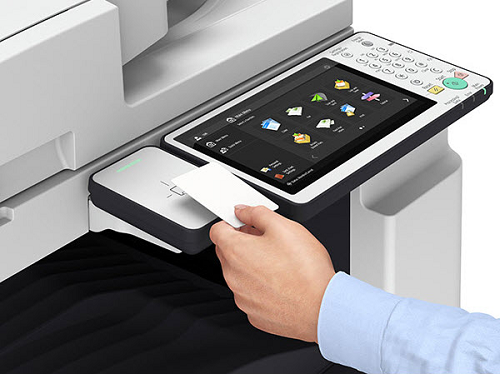
- The user panel will display a message that your card is unknown. Enter your pin code and tap on [Login].

Your personal card is now connected to your HANaccount and can be used to log into any Canon printer.