Important: if you have an older version of the HAN Internet Printer installed, first remove the old version!
Important: make sure you are logged in to hancard.han.nl!
- Download the HAN Internet Printer.
- Double-click on the file (haninternetprinter_V2018SR7_x64) in the 'Downloads' folder.
- If you do NOT use Windows 10, proceed with step 5.
If you DO use Windows 10, click on [More info].
- Click on [Run anyway].

- Should the following message appear, click on [Run].
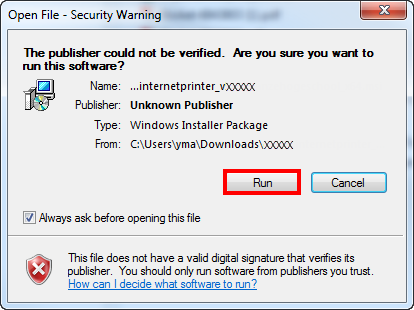
- The window below opens:

- Should the following message appear, click on [Install].
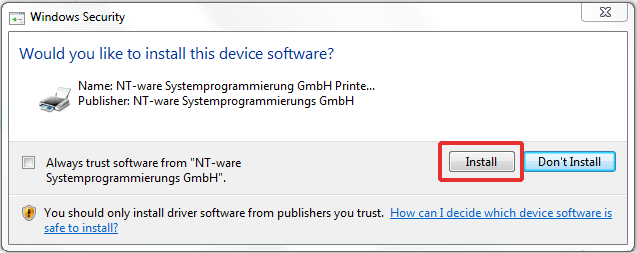
- The HAN Internet Printer has now been added to your available printers.