-
Log in with your HANCard, a personal card, or with a PIN code.
a) When you use your HANCard or a personal card, put your card on the card reader next to the user panel until you hear a beep sound.
ATTENTION! You need to connect your personal card to your HANaccount before you can use it.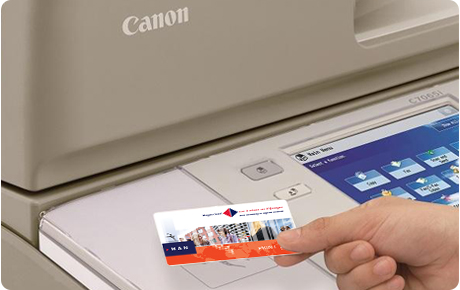
b) When you use a PIN code, tap on [PIN code], enter your PIN code and tap on [Login].

- The main screen opens.
Note: To change the language of the display tap on the language button:
Tap on [Secure Print].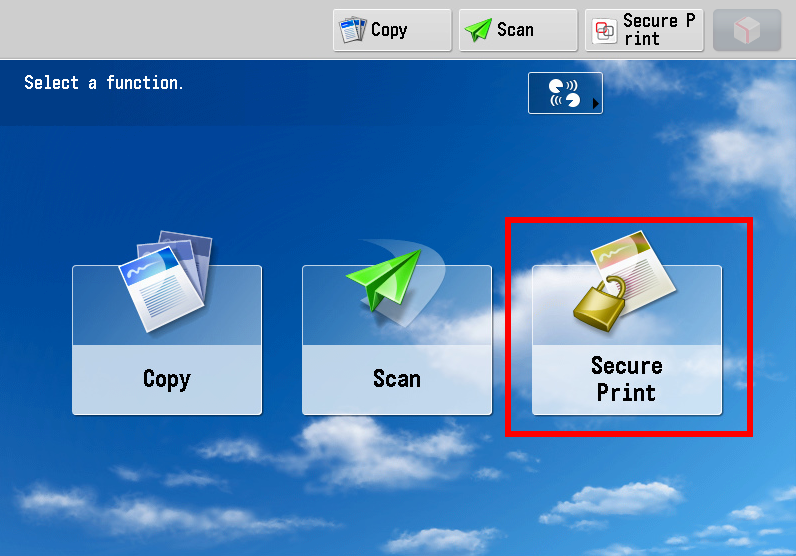
- Select the files that you want to print.
Note: If your job is not yet visible in the print queue tap on [Refresh].
Note: Your print jobs are kept in the print queue for 24 hours. If you haven't printed them during this period they will be deleted.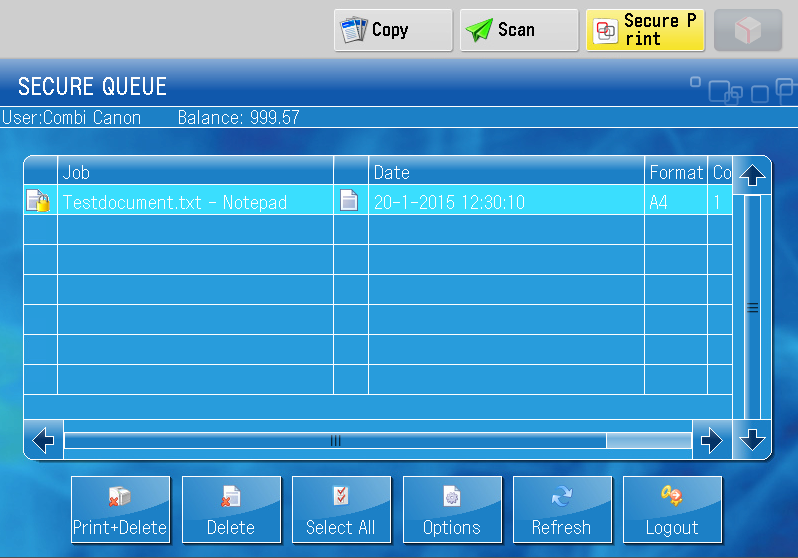
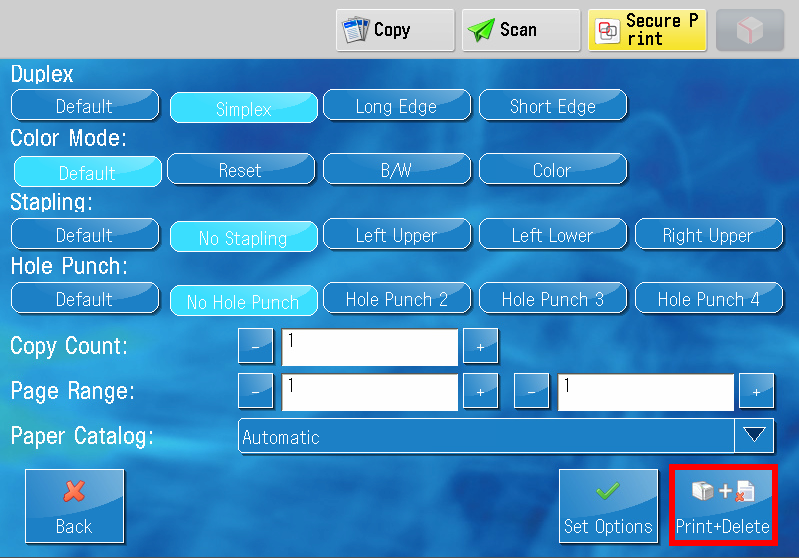
- If necessary, you can change the print settings per file via [Options].
- Tap on [Print + Delete].
- Collect your prints.
- Log out.
ATTENTION! For security reasons you will be logged out automatically after 5 minutes and all your print jobs will be deleted.
Put your card on the card reader until you hear a beep sound, or tap on [Log Out].