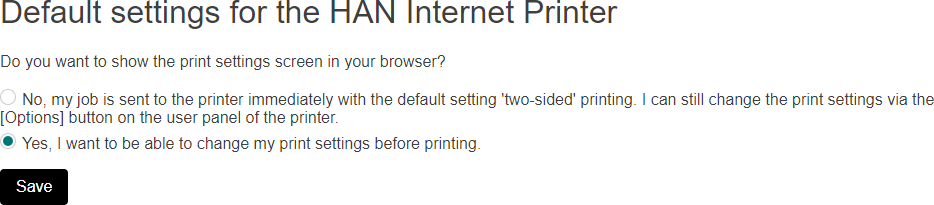
Switch on the option to change the default print settings in an extra browser window April 22, 2020 14:34 Updated Go to the print portal and log in. Click on the button in the upper right corner to go to your account settings. Choose [HAN Internet Printer]. Choose Yes and click on [Save].
 button in the upper right corner to go to your account settings.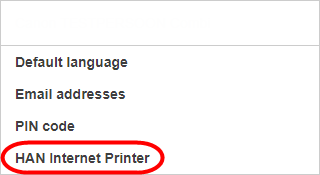
 button in the upper right corner to go to your account settings.